Get Certified in QGIS by Self-learning Course with Expert Guidance
LIMITED TIME OPPORTUNITY
Join the structured learning path from Quest GIS and earn a certificate upon completing your free QGIS course. Get personalized feedback from GIS experts, submit assignments, and build real-world skills that stand out.
Ideal for learners who want recognition, hands-on practice, and expert mentorship – all for free.
Note:-To get certificate and expert guidance please read the instructions and FAQs carefully at the end of this page.
Access to all course videos
✅ Lifetime
Learn at your own pace
✅ Lifetime
Datasets
✅Lifetime
Expert Support
✅ Only till 9th of September.
Certificate of Completion
✅If you enroll before 9th of November.
Assignments Required
✅Yes, mandatory
Course Material
✅Free
✅Software
✅Free
Learning procedure
Self learning
Course Fee
Free
Instruction Type
Pre recorded HD Videos
Level - 0 Course name : Getting started with QGIS
Course Highlights
Note: This course is offered at no cost for independent learning. Brows this course for free and learn at your own pace.
Duration: 2+ Hours
Prerequisites: None
Skills outcomes –
- Better understanding of GIS concepts such as Coordinate reference Systems (CRS), datum, map scale, etc.
- Better understanding of geospatial data types and formats, georeferencing and digitization
- Understanding of QGIS download and installation procedures
- Familiarity with QGIS interface
- Understanding and uses of QGIS plugins.
Dear learners
Please download the QGIS software by clicking on the button below or you can also visit https://qgis.org/download/
Dear learners
Please download the QGIS software by clicking on the button below or you can also visit https://qgis.org/download/
0.1. Basics of GIS
Begin from here: This lecture cover the theoretical part about basics of GIS, geospatial data types, CRS system, concept of georeferencing and digitization, projection system, datum, map scale and QGIS interface.
0.2. QGIS download and install - long term release
This section cover the how to download the QGIS software along with the installation process.
0.3. QGIS Interface
In this video a learner will able to built familiarity with QGIS.
This lecture includes understanding different parts of QGIS interface Menu bar ➢ Layers List/Browser Panel ➢ Toolbars ➢ Map canvas ➢ Status bar ➢ Side Toolbar ➢ Locator bar➢ Workspace
0.4. Installation and uses of plugins
This video covers the plugin installation and uses of five very important plugins
1. Quick map Services 2. Quick OSM 3. OpenTopography DEM Downloader 4. MapSwipe Tool 5. Geocoding.
Level - 1 Course name : Fundamental processes in QGIS
Course Highlights
Note: This course is offered at no cost for independent learning. Browse this course for free and learn at your own pace.
Duration: 6+ Hours
Prerequisites: Completion of Level-0 “Getting started with QGIS”
Skills outcomes –
- Better understanding of geospatial data types and formats in QGIS.
- Efficient way of data loading in QGIS.
- Raster data loading in QGIS.
- Vector data loading in QGIS.
- WMS/WFS data layers loading in QGIS.
- Delimited text loading in QGIS.
- Hands-on for most demanding skills in GIS industry-
- Georeferencing.
- Digitization.
Dear learners
Please download dataset by clicking on the button below. In this folder you will find all dataset 1. Raster, 2. Vector, 3. CSV for loading 4. Georeferencing and Digitization. Please georeference the image and use the georeferenced image for further digitization.
1.1. Data types and format loading-Raster
In this video you will learn how to load different basic raster formats in QGIS using data present in system as well as on server.
1.2. Data types and format loading-Vectors
In this video you will learn how to load different basic vector formats in QGIS using data present in system as well as on server.
1.3. Data types and format loading-Delimited text
In this video you will learn how to load basic CSV/spreadsheet in QGIS using data present in system.
1.4. Georeferencing in QGIS
In this video you will understand what is georeferencing, What if you don’t georeference an image? How it is done, what are the settings required etc.
1.5. Digitization in QGIS
In this video you will learn how to digitize the georeferenced image and extract real world features in QGIS. *Use georeferenced image (from video 4) for digitization.
Submit your assignment here to get certificate Submit Here
To get certificate for level 1, it is mandatory to submit the assignment for level-0 and level-1. Please read all the instructions given in the assignment. Certificates will be issued only to participants who accurately follow all instructions provided in the official Google Form.
Level - 2 Course name : Data Visualization with Symbology in QGIS
Course Highlights
Note: This course is offered at no cost for independent learning. Browse this course for free and learn at your own pace.
Duration: 2+ Hours
Prerequisites: Completion of Level-0 and Level-1
Skills outcomes –
- Better understanding of geospatial data visualization techniques in QGIS.
- Better understanding of layer styling panel and tools present in QGIS.
Dear learners
Please download dataset by clicking on the button below. In this folder you will find all dataset 1. Simple Fill, 2. Categorized and graduated symbology, 3. Graduated symbology for point features, 4. Rule-based symbology and 5. Heat map.
2.1. Simple Fill in QGIS
In this video learn how to transform boring simple fill symbology to more informative and interesting.
2.2 Categorized and Graduated Symbology for polygon features in QGIS
In this video we will learn how to download data using open street map and QuickOSM and will classify that data using categorized classification. Subsequently we will understand the concept of univariate, bivariate and Choropleth maps using graduated classification of values and its significance.
2.3. Graduated Symbology for points features in QGIS
In this exercise you will learn how to prepare a map using shape and csv files in QGIS. You will learn graduated classification of point features and how to provide symbology using two different values using attribute table.
a. 👉🏿Learn here
b. 👉🏿Learn here
2.4. Rule based Symbology in QGIS
In this video we will learn about rule-based symbology. Rule-based styles are based on logical expressions that define when and how a feature should be rendered. You can create multiple rules for each layer and assign different symbols, colors, labels or scales to each rule.
a. 👉🏿Learn here
b. 👉🏿Learn here
2.5. Heatmap in QGIS
In this video you will understand what are heatmaps and how can you make one with your data. Heatmap is an interpolation technique that is useful in determining density of input features.
Submit your assignment here to get certificate Submit Here
To get certificate for level-2, it is mandatory to submit assignment from level-0, level-1 and level-2. Please read all the instructions given in the assignment. Certificates will be issued only to participants who accurately follow all instructions provided in the official Google Form.
Level - 3 Course name : Map layout and elements in QGIS
Course Highlights
Note: This course is offered at no cost for independent learning. Browse this course for free and learn at your own pace.
Duration: 2+ Hours
Prerequisites: Completion of Level-0, Level-1 and Level-2
Skills outcomes –
- Better understanding of Map designing visualization techniques in QGIS.
- Better understanding of map elements and final layout export in QGIS.
Dear learners
Please use any visualization prepared by you in the above levels or with your own datasets. You can add map elements such as grid, scalebar, north arrow, legend, label etc to your map and make it more informative.
Submit your assignment here to get certificate Submit Here
To get certificate for level-3, it is mandatory to submit assignment from level-0, level-1, level-2 and level-3. Please read all the instructions given in the assignment. Certificates will be issued only to participants who accurately follow all instructions provided in the official Google Form.
Level - 4 Course name : Geospatial analysis in QGIS
Course Highlights
Note: This course is offered at no cost for independent learning. Browse this course for free and learn at your own pace.
Duration: 2+ Hours
Prerequisites: Completion of Level-0, Level-1 and Level-2
Skills outcomes –
- Deeper understanding of geospatial tools in QGIS.
- Better understanding of raster and vector data processing in QGIS.
Dear learners
Please use any visualization prepared by you in the above levels or with your own datasets. You can add map elements such as grid, scalebar, north arrow, legend, label etc to your map and make it more informative.
1. Spatial analysis-Population under risk of earthquakes in Himalayas using QGIS
From earthquake data from hazard prone Himalayas, one can find the population under risk of earthquakes using simple geoprocessing techniques in QGIS.
2. Spatial analysis using flood locations and identify nearby healthcare centers in Assam using QGIS
In this video we will learn how to utilize geoprocessing tools, Geometry tools, Analysis tools, Research tools and data management tools using real life applications.
3. Create a topographic map in QGIS with contour polygons in QGIS
In this exercise you will learn how to prepare a stunning topographic map in QGIS with contour polygons. Take DEM of your choice
4. Quantify the spatio-temporal changes in the lake catchment between 2005-2024
In this video we will learn about geospatial techniques that will help us in understanding the spatial and temporal changes in aereal extent of lake catchment in Chennai between 2005 and 2024.
a. 👉🏿Learn here
b. 👉🏿Learn here
Submit your assignment here to get certificate Submit Here
To get certificate for level-4, it is mandatory to submit assignment from level-0, level-1, level-2, level-3 and level-4. Please read all the instructions given in the assignment. Certificates will be issued only to participants who accurately follow all instructions provided in the official Google Form.
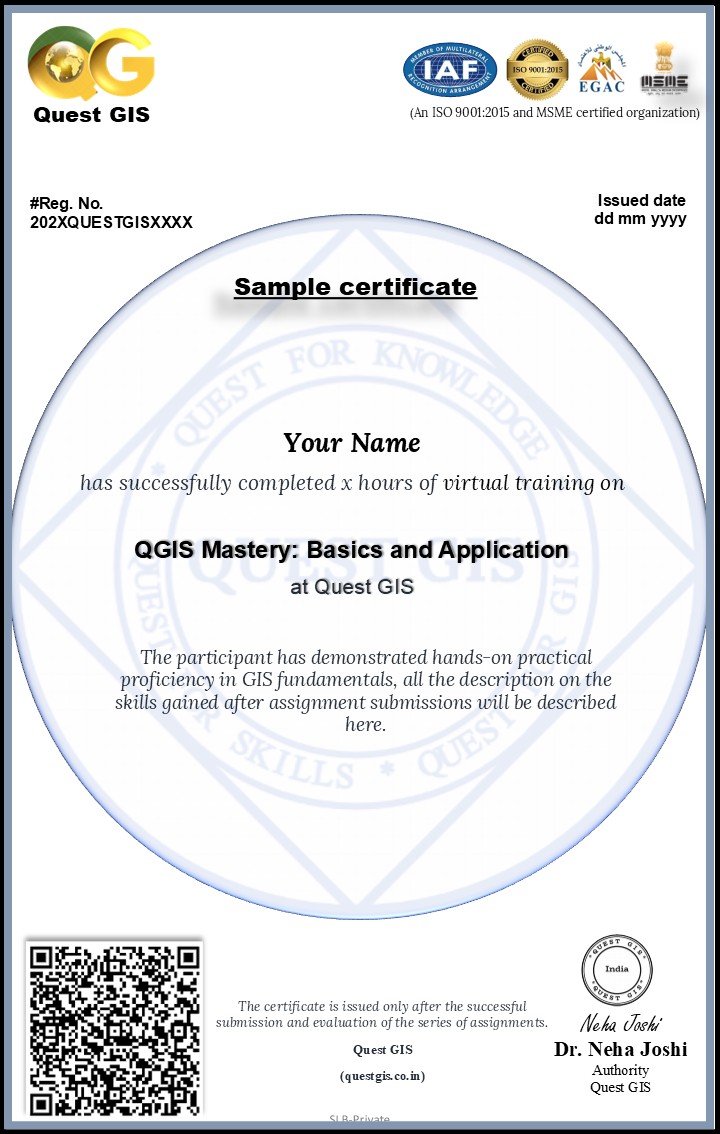
Sample Certificate
No comments found!
This course is helpful for bulid up my carrer job opportunities in the GIS field.